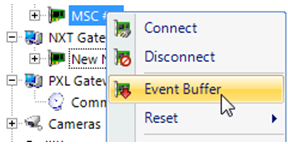
The Event buffer is the last x (10,000 is the default) transactions stored in the controller (MSC firmware only) and can be "replayed" via a starting serial number. Serial number transactions start at 1 when the controller is reset. In the event that you have lost your database, you can request the controllers resend the events (the controller always starts from the last event it sent the gateway, unless you use this command).
 to enable Design Mode.